

New
Stop watching laggy YouTube videos. WBuilds gives you step-by-step minecraft building tutorials with exact material lists and block-by-block guidance. 300+ minecraft house ideas, farms, castles and more for Java, Bedrock & PE.


Works with all Minecraft editions
From cozy starter homes to massive medieval fortresses. Browse our ever-growing collection of minecraft building tutorials with block-by-block guidance.
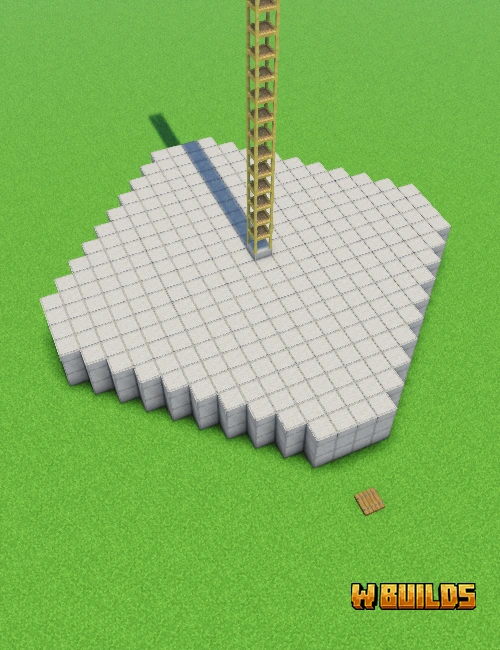

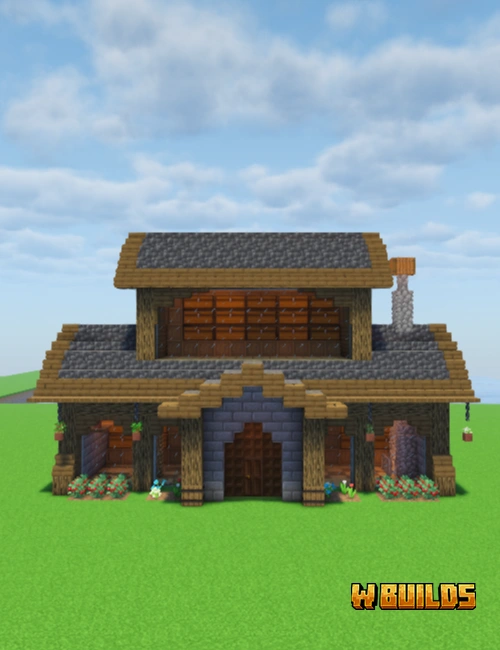
Minecraft building tutorials have never been this easy to follow.
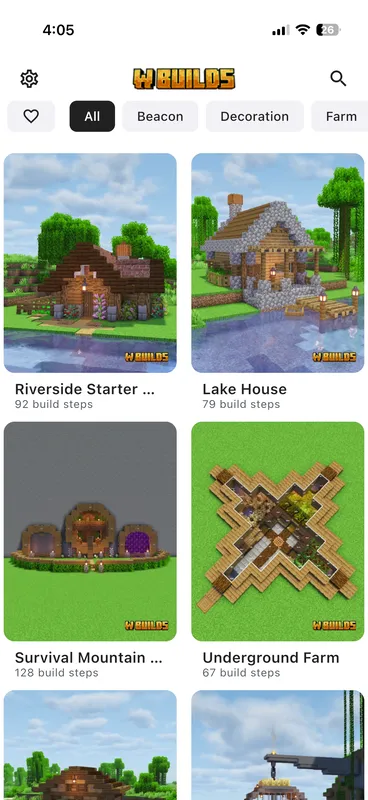
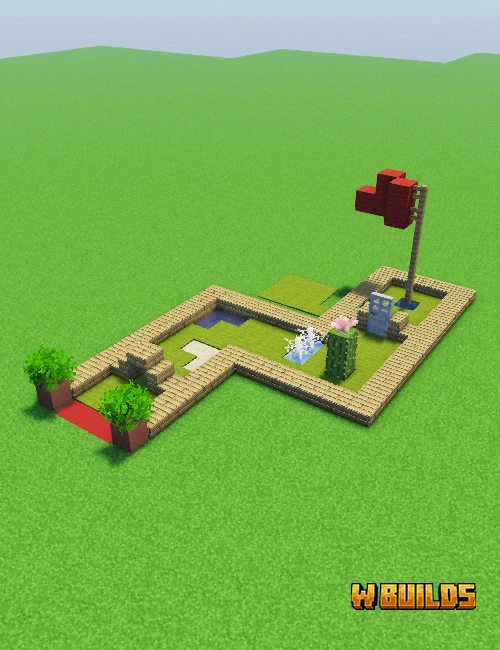
Browse 300+ minecraft building tutorials organized by category and difficulty. Minecraft house builds, farms, castles, decorations and more.

Get the exact material list with quantities. Know every block you need before placing a single one — like minecraft blueprints with a shopping list.
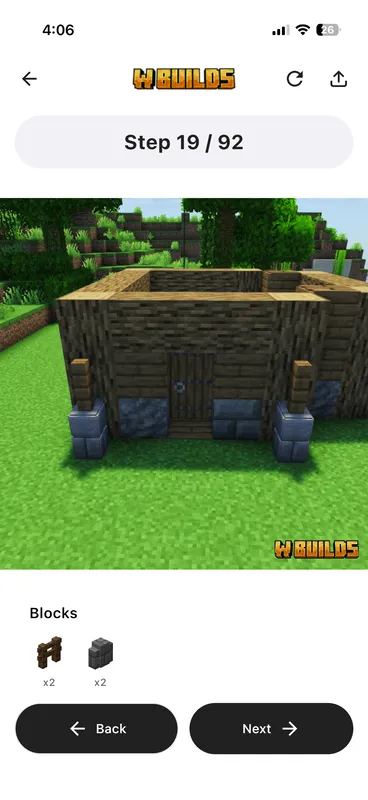
Follow clear visual instructions with block-by-block guidance. Each step shows exactly where to place blocks with 3D previews.
No more guessing block positions or pausing laggy videos. WBuilds is the minecraft building guide that makes building effortless.
Follow clear, visual minecraft building tutorials for every single step. Like LEGO instructions but for Minecraft builds — no confusion, just build it.
Know exactly what blocks you need before you start. Never waste time gathering the wrong materials — get accurate block counts for every minecraft house build.
Minecraft house builds, castles, farms, statues, decorations, redstone contraptions and more. New minecraft building tutorials added every week.
Easy, Medium, and Hard builds. Perfect for minecraft education — whether you're a beginner or an expert builder looking for a challenge.
Download builds and follow guides without an internet connection. Get minecraft free building guides that work anywhere, anytime — no wifi needed.
Comfortable viewing in any environment. Switch between light and dark themes while following your build guide.
Better organized than YouTube. Clearer than random minecraft blueprints. The smartest way to build in Minecraft.
| Feature | WBuilds | YouTube | Blueprint Images |
|---|---|---|---|
| Step-by-step guidance | ✓ | ~ | ✕ |
| Exact material lists | ✓ | ✕ | ~ |
| Works offline | ✓ | ✕ | ✕ |
| Go at your own pace | ✓ | ~ | ✓ |
| Organized library | ✓ | ✕ | ✕ |
See what the Minecraft community says about WBuilds building tutorials.
WBuilds is a total game-changer! I'm obsessed with how it turns complex Minecraft projects into simple, step-by-step LEGO-style instructions.
A really good idea by people that clearly care about what they are doing and want to grow and improve, they take feedback on board and add new builds every week.
Everything is well organized, making it simple to find and use without any problems. The app runs smoothly and the builds work perfectly across editions.
WBuilds is free to download on both Google Play and the Apple App Store, giving players immediate access to a selection of Minecraft building tutorials at no cost. The free tier includes several complete guides across different categories, including starter houses, basic farms, and simple decorations, so new users can experience the full tutorial format before committing. A premium subscription unlocks the complete library of over 300 builds, which includes advanced tutorials for redstone contraptions, medieval castles, modern mansions, and large-scale farms. Premium subscribers also receive every new tutorial added during their subscription period, with fresh builds published weekly. The subscription is available as a monthly or annual plan, with the annual option offering significant savings. All tutorials, whether free or premium, include exact material lists, 3D block placement previews, and compatibility with Minecraft Java Edition 1.21, Bedrock Edition 1.21, and Pocket Edition.
WBuilds supports all three major Minecraft editions: Java Edition including the latest 1.21 Tricky Trials update, Bedrock Edition 1.21 for Windows 10, Xbox, PlayStation, Nintendo Switch, and mobile devices, and Pocket Edition for iOS and Android smartphones and tablets. Every tutorial in the WBuilds library is designed with cross-platform compatibility in mind, meaning the block placements, material lists, and step sequences work identically regardless of which edition you play. The app accounts for edition-specific block naming differences, so players never encounter confusion when gathering materials. WBuilds tutorials are also fully compatible with popular shader packs, resource packs, and texture packs, allowing builders to follow guides while using their preferred visual enhancements. Whether you play on a gaming PC running Java Edition with OptiFine shaders or on an iPad running Pocket Edition, every WBuilds tutorial delivers the same precise block-by-block building experience with accurate material counts.
WBuilds functions as a complete offline Minecraft building guide once tutorials are downloaded to your device. The app is designed for situations where internet access is limited or unavailable, which is common during extended gaming sessions. When you open a tutorial while connected, WBuilds caches all step images, material lists, and building instructions locally on your phone or tablet. After downloading, every aspect of that tutorial remains accessible without any network connection, including the 3D block placement previews and exact material quantities. This offline capability makes WBuilds particularly useful for players who build in locations without reliable Wi-Fi, during travel, or in areas with restricted data. The downloaded tutorials take minimal storage space on your device, typically between 2 and 5 megabytes per build. Offline access works identically on both iOS and Android devices, covering all content from simple survival starter houses to complex redstone contraption tutorials.
WBuilds publishes new Minecraft building tutorials on a weekly schedule, with most new content released every Monday or Tuesday. Each weekly update typically includes between two and four new builds across different categories, ensuring variety for players interested in houses, farms, redstone contraptions, decorations, and medieval structures. The WBuilds development team creates tutorials based on trending Minecraft building styles, community requests from the Discord server and Reddit community, and seasonal themes tied to Minecraft game updates. When Mojang releases major updates like the 1.21 Tricky Trials update, WBuilds prioritizes tutorials featuring new blocks and mechanics introduced in that version. Since the app launched, WBuilds has grown from an initial library of 50 tutorials to over 300 complete building guides, with the pace of new additions accelerating as the team expands. Premium subscribers receive immediate access to all new tutorials as soon as they are published each week.
WBuilds offers an extensive range of Minecraft build categories spanning residential, functional, decorative, and advanced redstone projects. The house category alone includes survival starter houses, modern mansions, medieval cottages, Japanese-style homes, treehouses, underground bunkers, lakeside cabins, and aesthetic storage houses. Farm builds cover automatic crop farms for wheat, carrots, potatoes, and beetroot, as well as iron golem farms, mob spawner designs, XP grinders, creeper farms for gunpowder, and villager trading halls. The decoration library features interior design tutorials for kitchens, bedrooms, living rooms, and enchanting areas, plus exterior landscaping with gardens, pathways, and fountains. Advanced builders can explore redstone contraption tutorials including automatic doors, hidden entrances, item sorters, and minigame arenas. Castle and fortress builds range from small watchtowers with 30 steps to massive medieval mega bases requiring over 200 steps. Each category is labeled with difficulty ratings of Easy, Medium, or Hard.
WBuilds premium subscription is available through two pricing tiers designed to fit different budgets and commitment levels. The monthly plan provides full access to the entire library of over 300 building tutorials, all future weekly additions, and every feature in the app for a recurring monthly fee. The annual plan offers the same complete access at a significantly reduced per-month cost, typically saving subscribers around 40 percent compared to paying monthly. Both plans include identical features: unlimited access to all build categories including houses, farms, redstone contraptions, castles, and decorations, exact material lists with block counts, full 3D visual instructions, and offline downloading capability. Free users can access a rotating selection of complete tutorials to evaluate the app before subscribing. Subscription management happens through the Apple App Store or Google Play Store depending on your device, and you can cancel anytime without penalty. Pricing varies slightly by region and currency.
WBuilds tutorials are compatible with all currently supported Minecraft versions, including Java Edition 1.21 the Tricky Trials update, Bedrock Edition 1.21, and all Pocket Edition releases available on iOS and Android. The tutorials use blocks and materials available in the base game without requiring any mods, ensuring compatibility across the widest possible range of versions. Builds created using WBuilds work correctly in Minecraft versions dating back to 1.19 for most tutorials, since the majority of blocks used in house builds, farms, and decorations have been part of Minecraft for multiple updates. When tutorials incorporate newer blocks introduced in recent updates, WBuilds clearly labels them so players on older versions can identify suitable substitutes. The material lists specify blocks using both Java Edition and Bedrock Edition naming conventions where they differ, preventing confusion during resource gathering. WBuilds tests every tutorial across Java, Bedrock, and Pocket Edition before publication to verify accuracy.
Each WBuilds tutorial breaks down a complete Minecraft build into individual numbered steps, similar to LEGO instruction booklets. When you select a build, the app first presents a complete material list showing every block type and exact quantity needed, so you can gather resources before placing a single block. The tutorial then guides you through each step with a clear 3D visual showing exactly which blocks to place and where to position them relative to previously placed blocks. You can swipe forward and backward between steps at your own pace, zoom into the 3D preview for precise placement details, and rotate the view to see the build from any angle. Each step typically involves placing between one and ten blocks, keeping individual instructions simple and manageable. Progress is automatically saved, so you can close the app and resume exactly where you left off during your next Minecraft session. Tutorials range from 15 steps for simple builds to over 200 steps for complex structures.
WBuilds categorizes every tutorial into three difficulty levels — Easy, Medium, and Hard — based on the number of steps, material complexity, and building techniques required. Easy builds typically range from 15 to 40 steps and use common materials like oak planks, cobblestone, and glass, making them perfect easy minecraft builds for beginners or players in early survival mode with limited resources. Medium builds contain 40 to 100 steps and introduce more varied block palettes, including stone bricks, dark oak wood, terracotta, and decorative elements that require some resource gathering or trading with villagers. Hard builds exceed 100 steps and often incorporate redstone components, complex roof designs, multiple rooms with interior design elements, and advanced building techniques like gradient walls and custom terrain shaping. The difficulty system helps players progress naturally from simple survival starter houses to ambitious creative mode mega base projects. Each difficulty level spans all build categories, so you can find Easy farms, Medium houses, and Hard castles.
WBuilds material lists are verified through a rigorous quality assurance process to ensure complete accuracy for every tutorial. Each material list specifies the exact block type and precise quantity needed to complete the build, eliminating the guesswork that commonly frustrates players following YouTube tutorials or blueprint images. The lists account for every block in the finished structure, including foundation blocks that may not be visible in the final build, interior furnishing blocks, and decorative elements like fences, lanterns, and flower pots. Materials are displayed using names consistent with both Minecraft Java Edition 1.21 and Bedrock Edition 1.21 naming conventions, so players on any platform can identify the correct blocks in their inventory or crafting menu. The WBuilds team builds every tutorial from scratch in a test world before publishing, counting and recounting materials to prevent errors. If a discrepancy is ever discovered, the team updates the material list immediately and pushes the correction to all users automatically.
WBuilds solves the core problems that make YouTube building tutorials frustrating for Minecraft players. Video tutorials require constant pausing, rewinding, and scrubbing to find specific steps, while WBuilds presents each step as a discrete visual instruction you advance at your own pace. YouTube creators rarely provide complete material lists, forcing viewers to either guess quantities or watch the entire video first, whereas WBuilds shows every block and exact count before you start building. Video tutorials demand continuous internet access and consume significant mobile data, but WBuilds works fully offline after downloading a tutorial. The organized library in WBuilds lets you filter builds by category, difficulty, and step count, compared to searching through thousands of unstructured YouTube results. WBuilds also provides interactive 3D previews that you can rotate and zoom, offering perspective views impossible in a flat video format. Every WBuilds tutorial is tested across Java Edition, Bedrock Edition, and Pocket Edition for guaranteed cross-platform accuracy.
WBuilds actively encourages build requests from its community through multiple channels. The official WBuilds Discord server has a dedicated build-request channel where users can suggest specific structures, farms, or redstone contraptions they want to see added to the library. The WBuilds subreddit on Reddit also serves as a platform for submitting and upvoting build requests, helping the development team prioritize tutorials that the community wants most. Popular requests that receive significant community support are typically added to the production schedule within two to four weeks. Past community-requested builds include creeper gunpowder farms, automatic sugar cane farms, medieval market stalls, Japanese pagodas, and underwater base tutorials. The WBuilds team also monitors trending builds on social media platforms and Minecraft community forums to identify popular building styles. Players can additionally submit requests through the in-app feedback feature available on both the iOS and Android versions of WBuilds.
WBuilds is available as a native application on both iOS and Android platforms, downloadable from the Apple App Store and Google Play Store respectively. The iOS version requires iOS 15.0 or later and runs on iPhone, iPad, and iPod Touch devices, while the Android version supports Android 8.0 and above, covering the vast majority of smartphones and tablets currently in use. Both versions offer identical functionality including the complete tutorial library, offline downloading, 3D step previews, exact material lists, and all build categories from houses and farms to redstone contraptions and decorations. The app has been downloaded over 100,000 times across both platforms combined and maintains a 4.6-star rating from over 1,120 reviews. Your subscription works on whichever platform you purchased it through, and the app receives regular updates on both platforms simultaneously. WBuilds is optimized for both phone-sized screens for quick reference during building and tablet displays for detailed 3D preview viewing.
WBuilds organizes its 300-plus tutorials into clearly defined categories that help players quickly find the type of build they want to create. The main categories include Houses covering survival starter houses, modern homes, medieval cottages, and aesthetic storage houses. Farms featuring automatic crop harvesters, iron golem farms, mob spawner XP grinders, and creeper gunpowder farms. Castles and Fortresses ranging from small watchtowers to sprawling medieval fortresses. Redstone builds including automatic doors, hidden passageways, item sorting systems, and minigame arenas. Decorations covering fountains, statues, gardens, pathways, bridges, and custom trees. Interior Design tutorials for furnishing rooms with kitchens, bedrooms, libraries, and enchanting setups. Each category displays builds sorted by difficulty level and step count, making it easy to find projects matching your available time and skill level. The category system is updated whenever new build types are added to the library.
WBuilds connects builders through an active community ecosystem spanning multiple platforms beyond the app itself. The official WBuilds Discord server provides real-time discussion channels where players share completed builds, ask for building advice, suggest new tutorials, and connect with other Minecraft enthusiasts across Java Edition, Bedrock Edition, and Pocket Edition. The WBuilds subreddit on Reddit serves as a hub for showcasing finished projects, discussing building techniques, and voting on which tutorials the development team should prioritize next. Within the app, users can rate builds after completing them, contributing to the community rating system that helps other players identify the most popular and well-designed tutorials. WBuilds also tracks personal statistics including total builds completed, favorite categories, and building streaks to encourage consistent engagement. The development team actively participates in community discussions, responding to feedback and incorporating player suggestions into weekly updates. Community members have directly influenced the addition of over 50 tutorials.
WBuilds tutorials are designed using vanilla Minecraft blocks available in the base game, which means they work correctly with any mod, shader pack, resource pack, or texture pack installed on your Minecraft client. The building instructions reference standard block names and placements that remain consistent regardless of visual modifications applied through texture packs like Faithful, Sphax PureBDCraft, or John Smith Legacy. Shader packs such as BSL, Complementary, and SEUS do not affect block placement mechanics, so all WBuilds tutorials render and function identically with any shader configuration. For players using gameplay mods that add new blocks or modify existing ones, WBuilds tutorials remain fully functional since they exclusively use blocks from the vanilla Minecraft block palette. The material lists reference official block names matching both Java Edition 1.21 and Bedrock Edition 1.21 naming conventions, ensuring clear identification even when texture packs change the visual appearance of blocks. No additional mods or plugins are required to follow any tutorial.
WBuilds tutorials vary in length depending on the complexity and size of the structure being built, ranging from approximately 15 steps for simple decorations to over 200 steps for elaborate mega base constructions. The average tutorial contains between 50 and 80 steps, with each step showing a clear 3D visual of which blocks to place and their exact positions. Simple projects like a survival starter house or basic farm design typically require 20 to 40 steps and can be completed in a single Minecraft session. Medium complexity builds such as a cottage with interior design details, a multi-level treehouse, or an automatic crop farm generally contain 50 to 100 steps. Advanced tutorials for large medieval castles, complex redstone contraption systems, or detailed mansions with fully furnished interiors often exceed 150 steps and may take multiple building sessions to complete. The app automatically saves your progress at each step, so you can pause and resume any tutorial at any point without losing your place.
WBuilds is specifically designed to be accessible for Minecraft players of all skill levels, including complete beginners who have never built anything beyond a basic dirt shelter. The Easy difficulty category contains tutorials that use commonly available materials like wood planks, cobblestone, glass panes, and torches, all of which can be gathered within the first few minutes of a new survival world. Each tutorial starts with a complete material list showing exactly what to collect, eliminating the uncertainty that often discourages new builders from attempting structured projects. The visual tutorial format means beginners never need to interpret complex architectural concepts or guess block positions, since every single block placement is shown explicitly in the 3D preview. Many beginners report that following WBuilds tutorials teaches them fundamental building techniques like roof construction, wall layering, and window framing that they then apply to their own original designs. The progression from Easy to Medium to Hard builds creates a natural learning path for developing construction skills.
Explore our growing library of minecraft house ideas and builds — from easy minecraft builds like cozy starter homes to large aesthetic storage houses. Every minecraft house build includes exact block counts, clear images, and material lists. Perfect for Minecraft Bedrock Edition, Java Edition, and Pocket Edition players looking for the ultimate building guide.
WBuilds covers the full spectrum of Minecraft construction, starting with survival starter house designs that use basic materials like oak planks, cobblestone, and glass panes available in the first minutes of a new world. As players progress, they can tackle medium-difficulty projects such as aesthetic cottages with detailed block palette combinations using stripped logs, stone brick variants, and trapdoor accents for depth and texture. The farm category includes automatic farm designs for wheat, carrots, sugar cane, and bamboo, alongside more complex mob spawner builds that generate XP and valuable drops from zombies, skeletons, and spiders. For experienced builders, WBuilds offers interior design tutorials that transform empty rooms into functional living spaces with custom furniture made from stairs, slabs, and item frames, bringing life to kitchens, libraries, bedrooms, and enchanting rooms that make any Minecraft base feel like a completed home rather than a hollow shell.
The advanced section of WBuilds features redstone contraptions ranging from simple automatic doors and hidden entrances to complex item sorting systems and minigame arenas powered by repeaters, comparators, and observers. Players interested in medieval architecture can follow castle and fortress tutorials that incorporate towers, battlements, drawbridges, and throne rooms using deepslate, stone brick, and mossy cobblestone for an authentic weathered appearance. The creative mode mega base category pushes the boundaries of Minecraft construction with sprawling builds exceeding 200 steps, including mountain-top fortresses, underwater glass domes, floating island bases, and multi-biome compounds with connected buildings and landscaped courtyards. WBuilds also maintains a dedicated collection of automatic farm tutorials covering iron golem farms, creeper gunpowder farms, enderman XP grinders, and villager-based trading halls that produce emeralds, making these essential survival infrastructure projects accessible to builders of every skill level through clear visual instructions.
Join 100,000+ Minecraft builders using WBuilds — the best minecraft building guide app. Download free on Android & iOS today.